Choose a folder
Select Downloads, Desktop, Documents, an external drive, or another folder through the standard macOS folder picker.
 Download Detective
Private download source search for Mac
Download Detective is a focused native macOS utility that searches the download source metadata already stored on your Mac. Choose a folder, browse websites and domains in the sidebar, and find the file you remember downloading-even when you no longer remember its name.
100% localNo account, analytics, or cloud service
Native metadataReads download provenance saved by macOS
Read-only accessNever moves, renames, edits, or deletes files
A direct path back to a download
Select Downloads, Desktop, Documents, an external drive, or another folder through the standard macOS folder picker.
Download Detective reads public Spotlight provenance metadata and groups files under source websites such as github.com or drive.google.com.
Search by filename, extension, path, domain, or full source URL, then open the file, reveal it in Finder, or visit its saved source page.
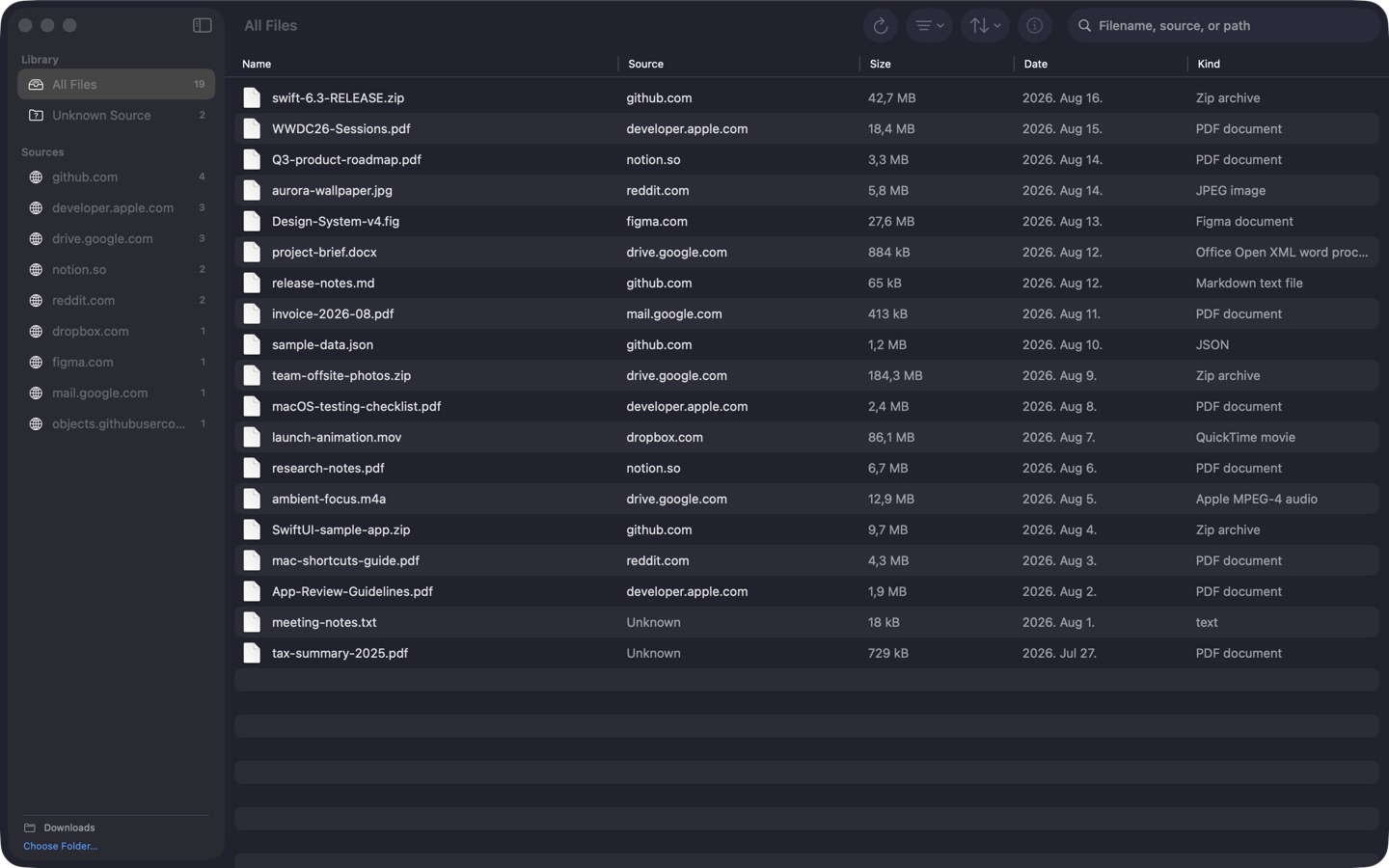
A clear view of your Downloads folder
The sidebar summarizes source domains and file counts. The native table keeps filenames, source websites, sizes, dates, and kinds easy to scan without slow thumbnail generation.
Search macOS download provenance
Many Mac browsers and apps attach provenance information to downloaded files. Spotlight commonly exposes this as kMDItemWhereFroms: one or more URLs that can include the direct file address and the page that linked to it. Finder stores this useful history but offers only limited ways to search it.
Download Detective turns that existing metadata into a searchable Mac interface. It does not inspect browser history, monitor network traffic, recover deleted history, or contact the listed websites. If an app did not save source information, the file is clearly shown under Unknown Source.
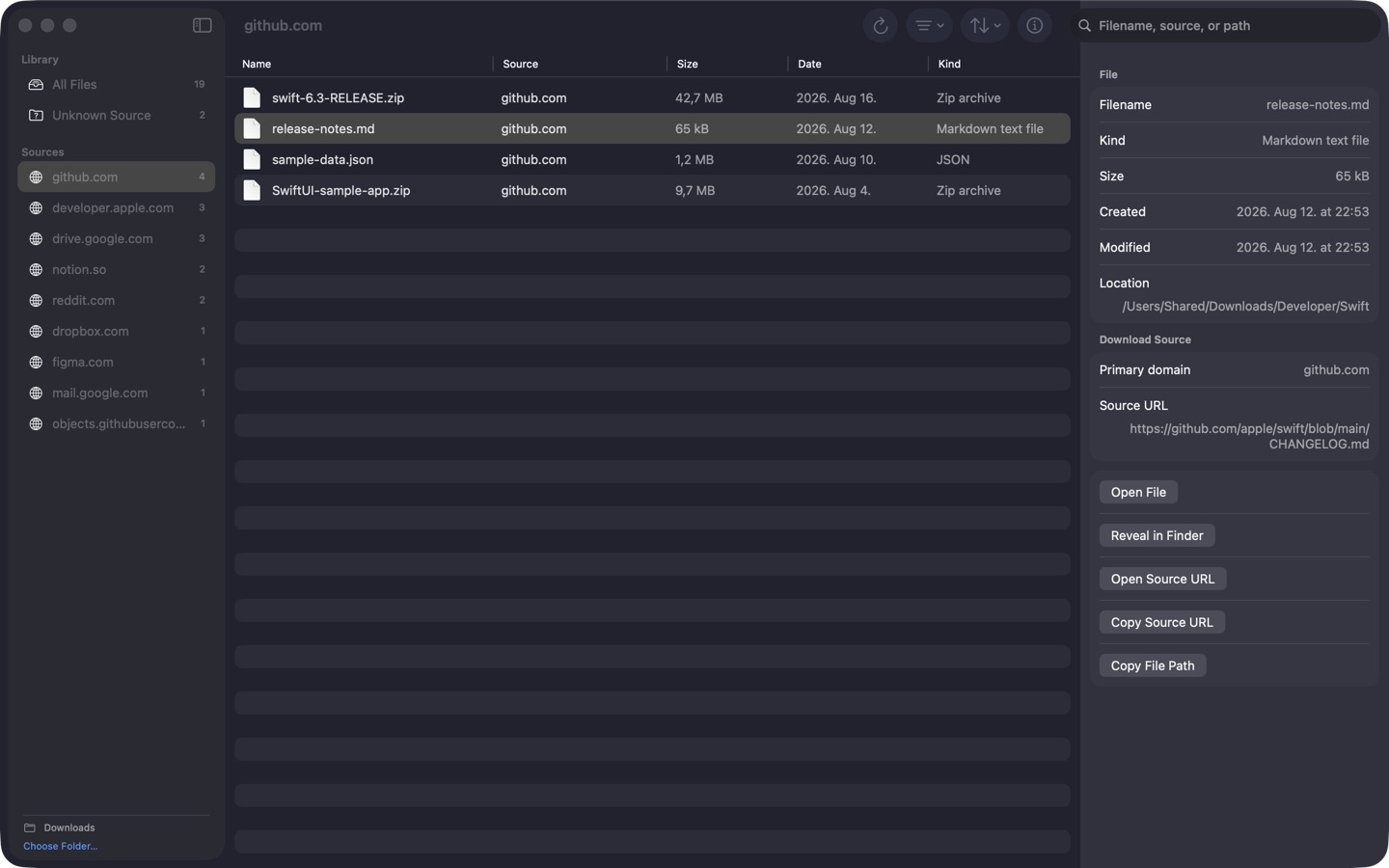
Inspect the full trail
Select a result to see its kind, size, dates, location, primary domain, source URL, and additional provenance URLs. Native actions open the file, reveal it in Finder, copy its path, or open the source in your default browser.
A focused Finder companion
Useful when a filename is not enough
Find release archives, documentation, and sample projects by searching for GitHub or another developer website.
Locate a PDF or attachment by the webmail, cloud drive, or portal it came from-even with a generic filename.
Trace images, archives, video clips, and design files back to their saved source pages without opening each file.
Practical Mac file guides
Simple, careful guides to finding files by source, reading macOS provenance, and knowing what missing metadata really means.
Mac download history
macOS file metadata
Search by source domain
Find lost documents
Developer downloads
Missing file provenance
Understand Mac metadata
Downloads folder workflow
Private by design
Download Detective has no account, backend, ads, analytics, telemetry, or tracking. Scanning and searching happen locally. The app performs no network request unless you explicitly choose Open Source URL, which hands the address to your default browser.
Read the Download Detective privacy policyDownload source search FAQ
No. It searches provenance metadata that already exists on each file. Some apps and browsers do not save this information, and metadata can be removed during file transfers.
No. It scans only the folder you explicitly select through the standard macOS folder picker. Version 1 uses one active folder at a time.
No. Download Detective is read-only. It does not move, rename, tag, edit, or delete files.
No. Scanning, metadata reading, filtering, and search work offline. Open Source URL is the only action that can open a website, and it uses your default browser.
You can choose Downloads, Desktop, Documents, another accessible folder, or an external drive. Access remains limited by the macOS App Sandbox.
Released on the Mac App Store