Private AI art generation
Prompts and inference stay on the Mac. After the one-time model download, image generation does not require an internet connection.
 Krealize
Local AI image generator for Mac
Krealize is a native macOS app for private, on-device AI image generation with Krea 2 Turbo. Prompts and generated images stay on your Mac-no account, cloud generation, advertising, analytics, or developer telemetry.
Private by designNative macOSRuns offline after setupOn-device inferenceYour prompt is processed locally
No accountStart creating without a sign-in
Creator controlsSeeds, sizes, formats, LoRAs, and metadata
A complete local workflow
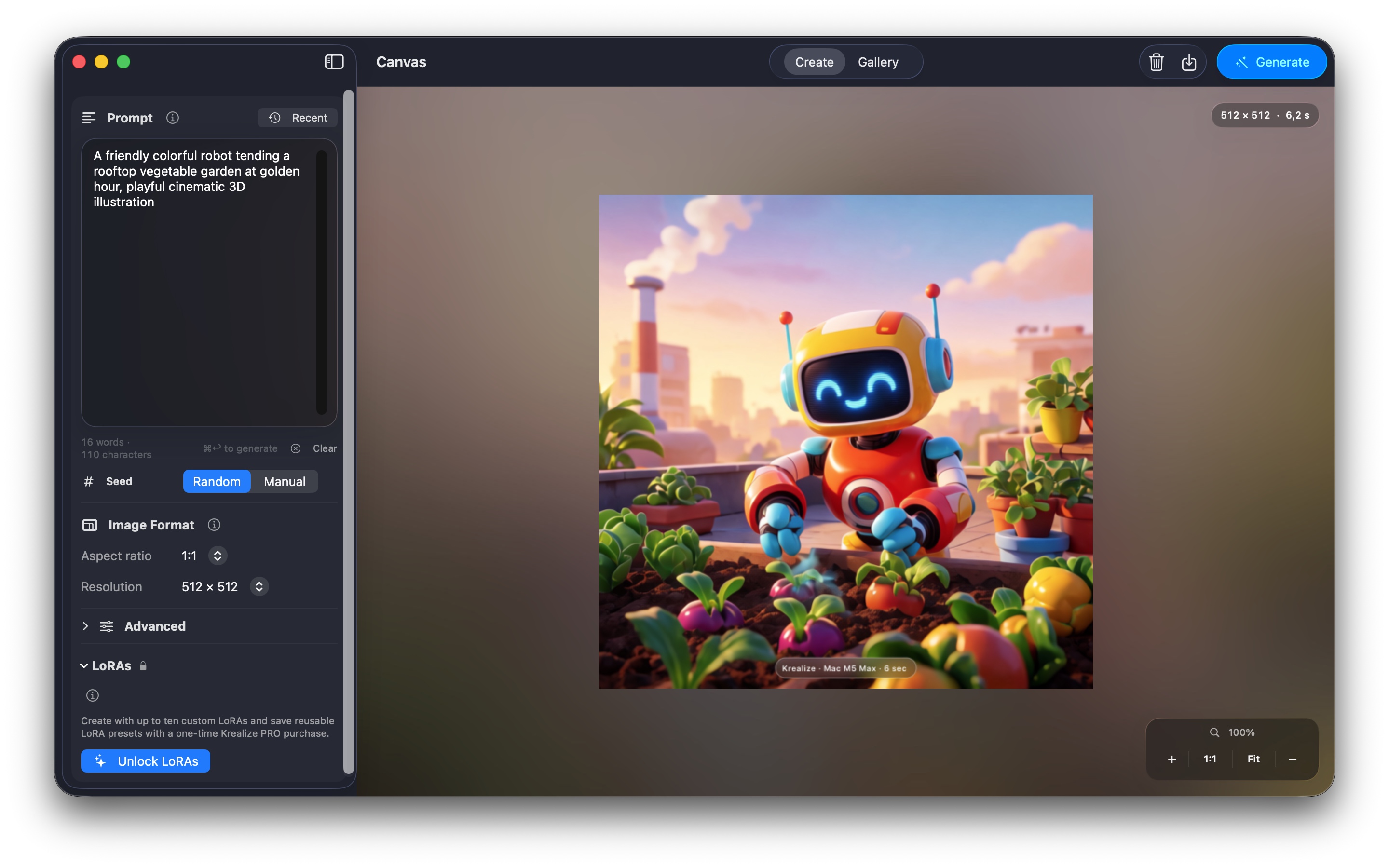
Describe an idea, choose a resolution and seed, and let Krea 2 Turbo render directly on your Apple silicon Mac. Krealize saves generations to a private local gallery, records reproducible settings, and lets you return to a result without rebuilding the prompt from memory.
Prompts and inference stay on the Mac. After the one-time model download, image generation does not require an internet connection.
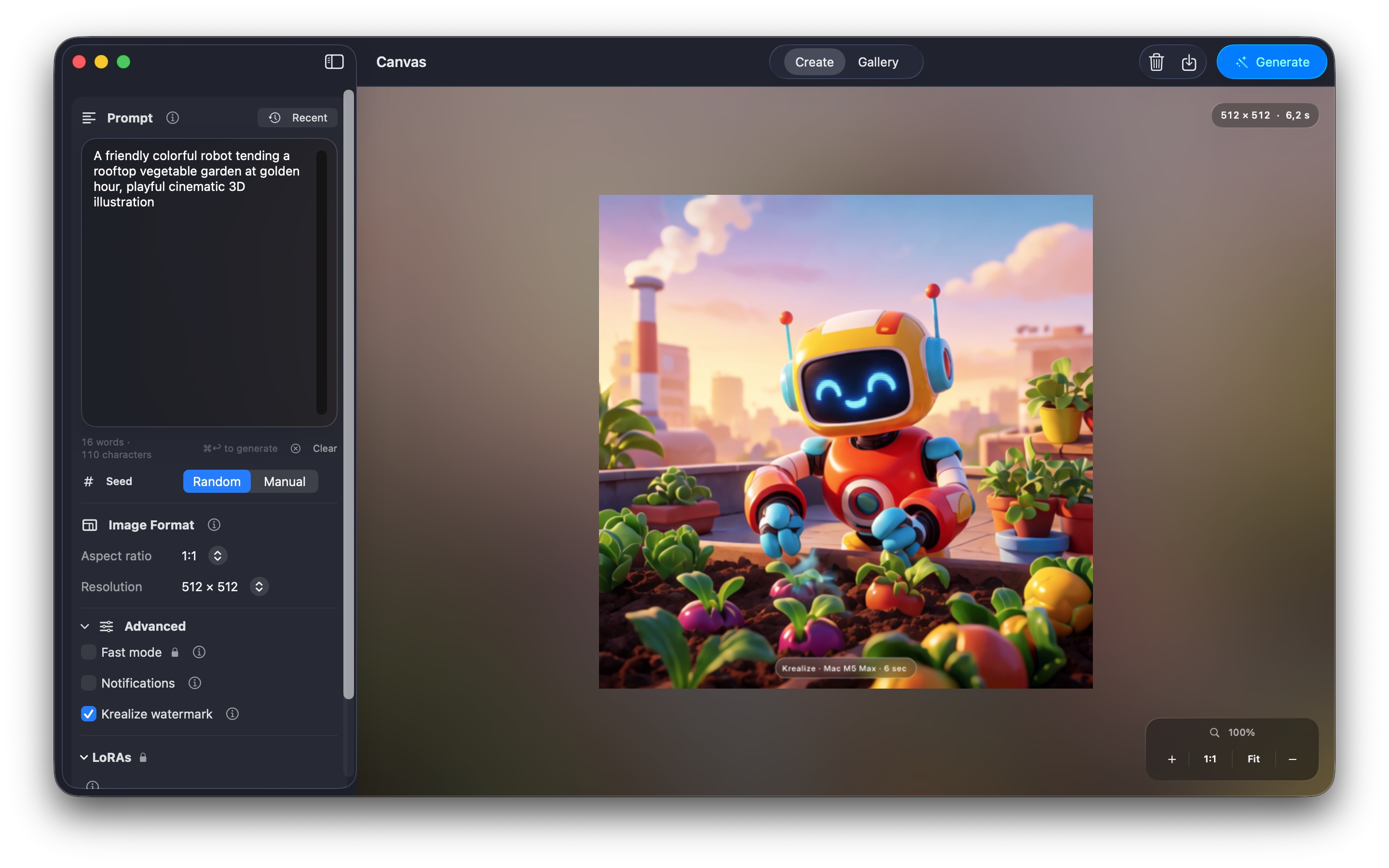
Use random or manual seeds, four output sizes, generation metadata, recent prompt history, watermarks, and zoomable previews.
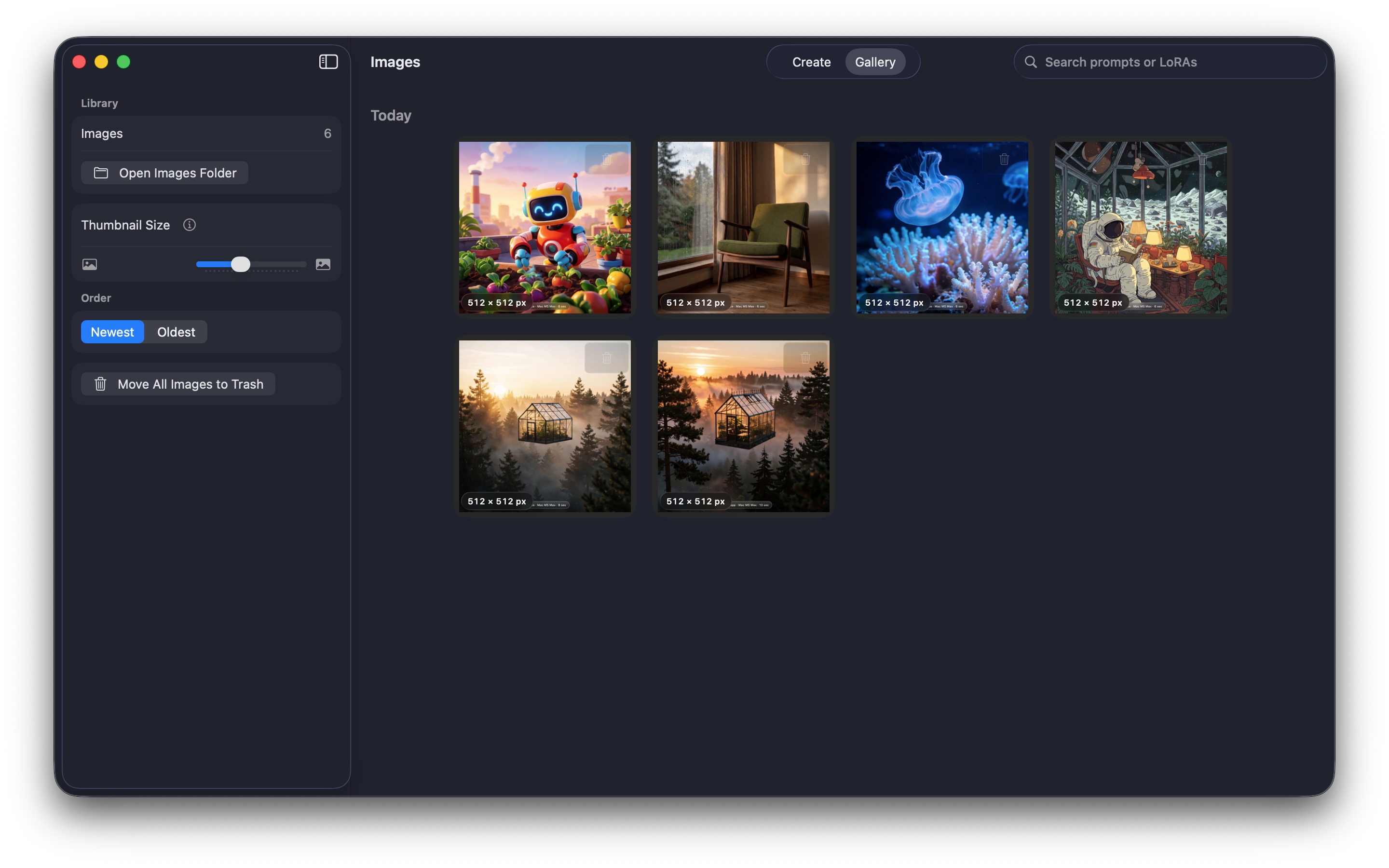
Browse generated images, inspect their prompt and settings, reuse a previous configuration, save a copy, or move an image to Trash.
Choose a compatible Krea 2 MLX checkpoint and, with the optional one-time PRO upgrade, import custom LoRA or LoKr adapters and save presets.
The actual app, at work
Write a prompt, tune reproducible generation controls, and keep every result organized in a private gallery on your Mac.
Optional one-time upgrade
The free core app creates square images locally. Krealize PRO is a non-consumable App Store purchase that unlocks portrait and landscape formats, Fast mode, PNG export, custom LoRAs, and reusable LoRA presets. It is not a subscription.
Why local generation?
Cloud image generators upload prompts-and often reference images-to remote servers. Krealize takes a different approach: Krea 2 Turbo inference runs locally with MLX and Metal on Apple silicon. Your creative drafts, prompt history, generated PNGs, imported adapters, and generation metadata remain on your Mac.
Local generation is useful for concept artists, designers, indie developers, illustrators, marketers, writers, and privacy-conscious creators who want fast visual exploration without a recurring cloud service or an account. Performance depends on Mac model, memory, output size, and loaded adapters.
Transparent first-run setup
Krealize clearly asks before downloading the approximately 22.2 GB Krea 2 Turbo Q8 checkpoint from Hugging Face. The setup screen provides the download size, storage estimate, license, acceptable-use policy, progress, speed, and remaining-time estimate.
The model is an unofficial quantized derivative of Krea 2 Turbo and is governed by the Krea 2 Community License. Krealize bundles the applicable notices and includes a local prompt safety filter.
Privacy without an asterisk
Krealize has no developer backend, analytics SDK, ad network, tracking, or user account. Network access is used for the user-approved model download from Hugging Face and for Apple to process or restore Krealize PRO purchases.
Read the full Krealize privacy policyNo. Prompts, inference, generated images, and metadata stay on your Mac.
Krealize requires an Apple silicon Mac running macOS 26 or later. More unified memory generally improves performance, especially at larger output sizes.
No. PRO is an optional one-time, non-consumable purchase through the Mac App Store.
Yes, after the initial model download. App Store purchase verification and restoration require access to Apple’s services.
Need setup or generation help?