
Realistic 3D character creator for Mac
Many character creators are made for Windows. Here is what you can use on a Mac, and how making a person works in NovelStage.
Coming to the Mac App Store in November or December 2026. Free, with an optional Pro upgrade.
Email me when it is out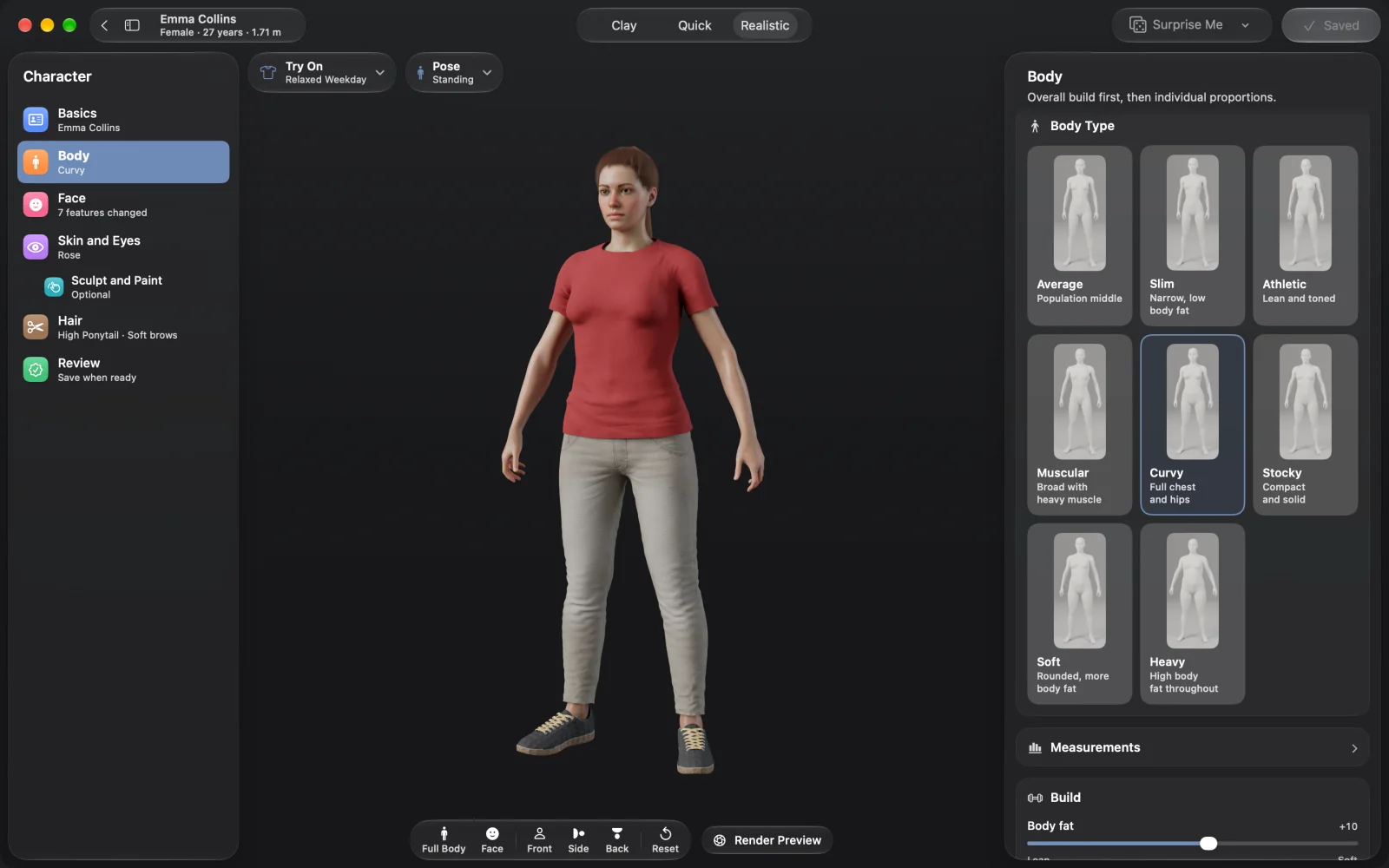
On an Apple silicon Mac your realistic options are fewer than on Windows. Character Creator is Windows only, Daz Studio runs through Rosetta, and Blender takes real learning. NovelStage is made for Apple silicon: you shape adults from 18 to 80 with sliders and brushes, then pose them in full scenes and render them. Characters stay in the app, so it suits making pictures, not game assets.
What works on a Mac
Read this table with one question in mind: do you want a character to use in another program, or a picture of a character? That answer rules out half of the list.
| App | On a Mac | Best for |
|---|---|---|
| Character Creator | Windows only, with no Mac version planned as of 2025 | Realistic characters for game engines, on a PC |
| Daz Studio | Runs through Rosetta on Apple silicon | Its large store of characters and clothes |
| Poser | Yes, but 13.3 was likely the last Mac update | Existing Poser users |
| MakeHuman | Yes, free and open source | A base human to take into other 3D tools |
| Blender | Yes, with a native Apple silicon build | People who want to learn 3D properly |
| VRoid Studio | Yes | Anime-style characters |
| NovelStage | Yes, made for Apple silicon | Realistic people in rendered pictures |
Checked October 31, 2026. Support changes, so look at each maker's site before you buy anything.
How making a person works
Start from one of eight people or a plain body, pick a body type and use the sliders. Then work through the steps at your own pace.
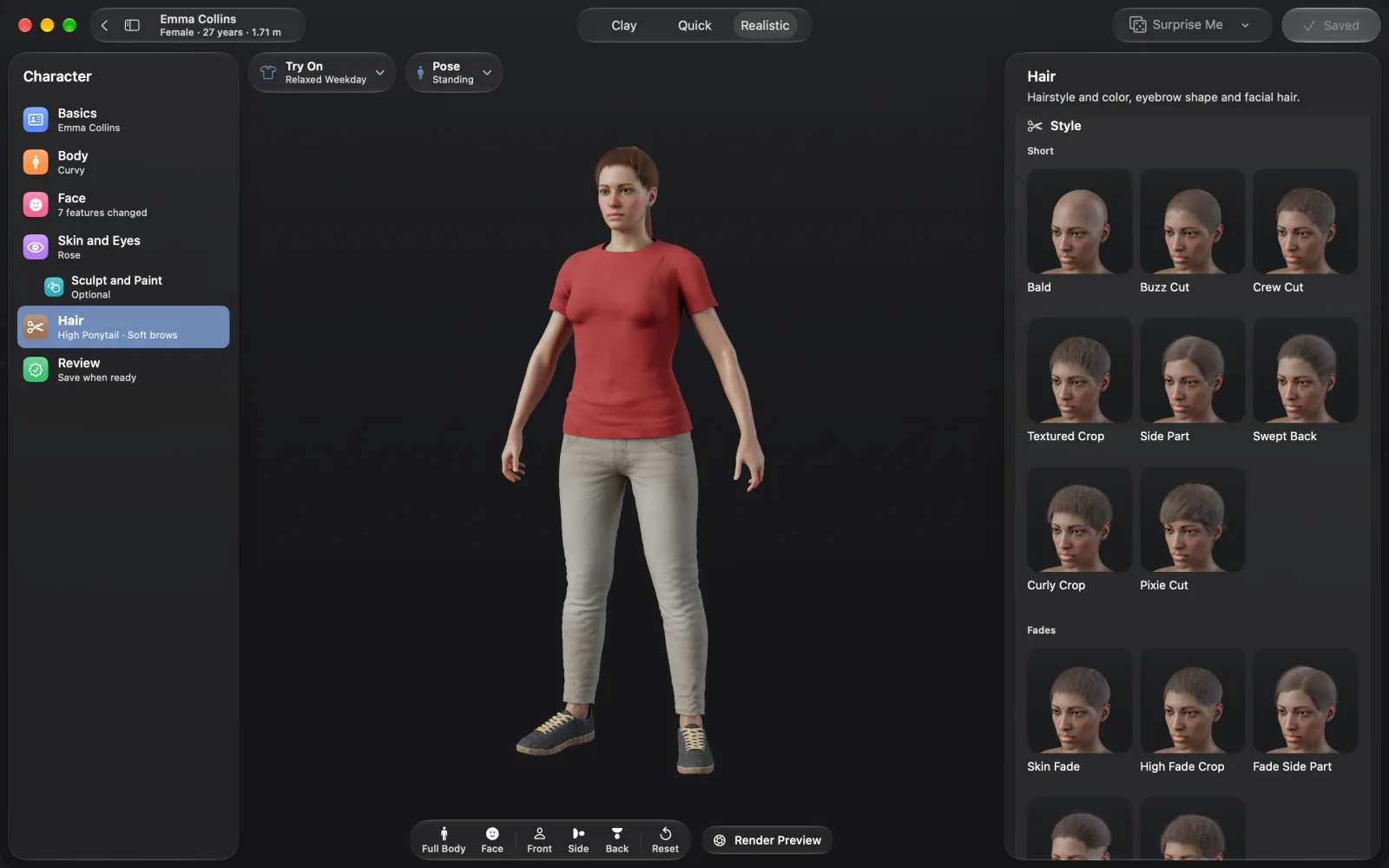
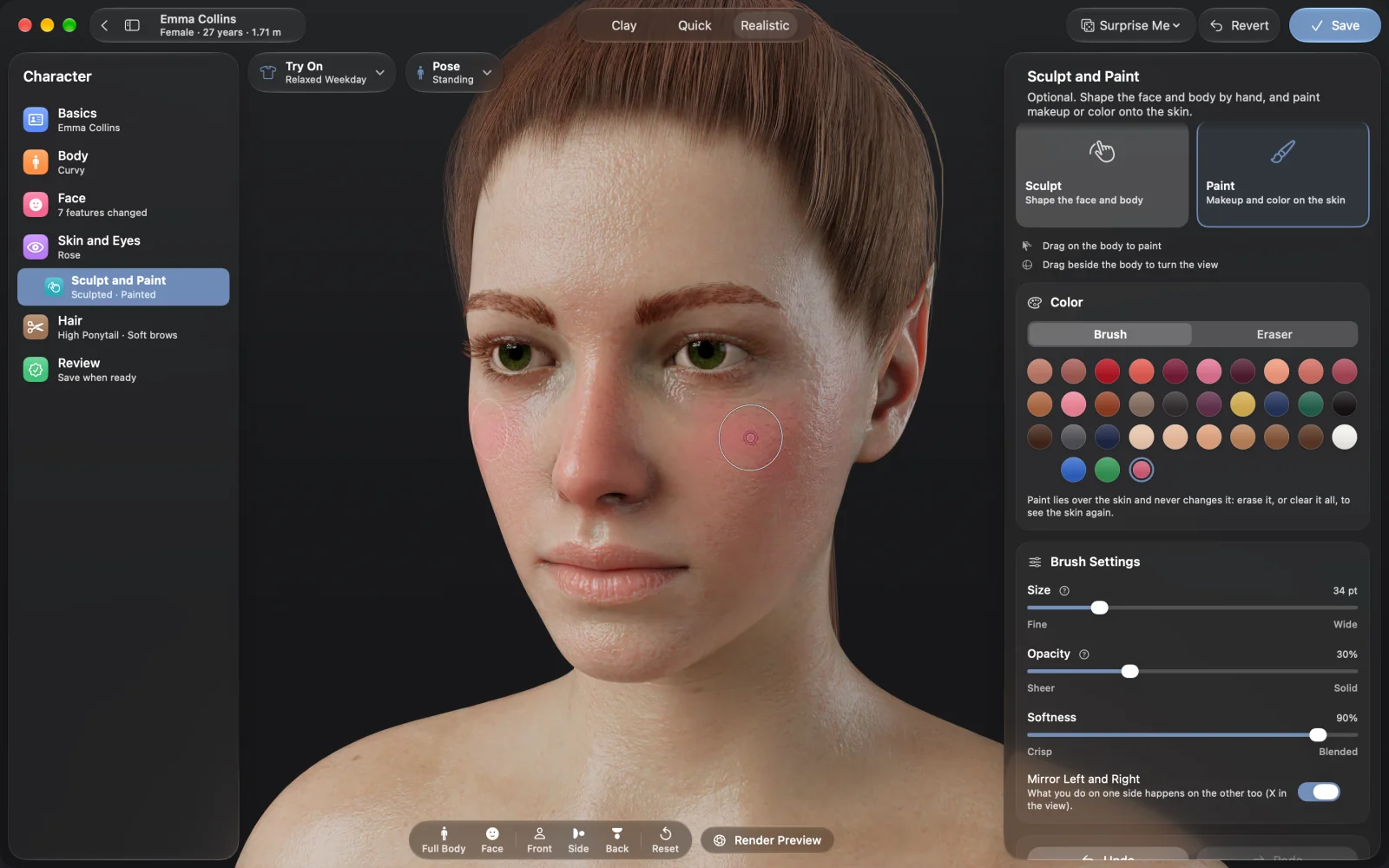
Skin comes from four scanned sets that blend to match any tone, so pores and freckles stay real. You can add blemishes, sun spots or deeper creases, then makeup with gloss, glitter and lip liner. Every one of the 35 hairstyles is made of real strands, and brows and beards have their own styles.
Close enough for close-ups
A character only proves itself up close, in real light. These are renders from the app, with nothing painted afterwards.
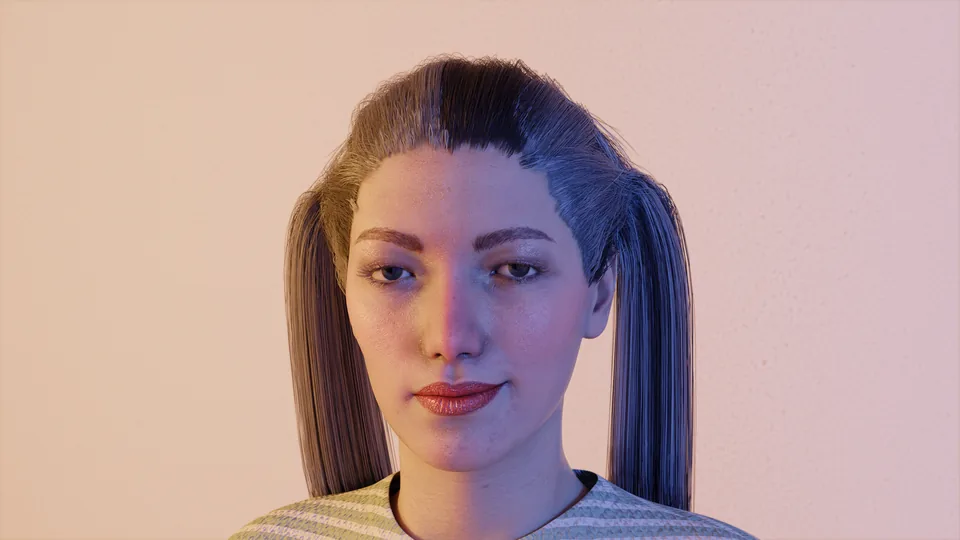
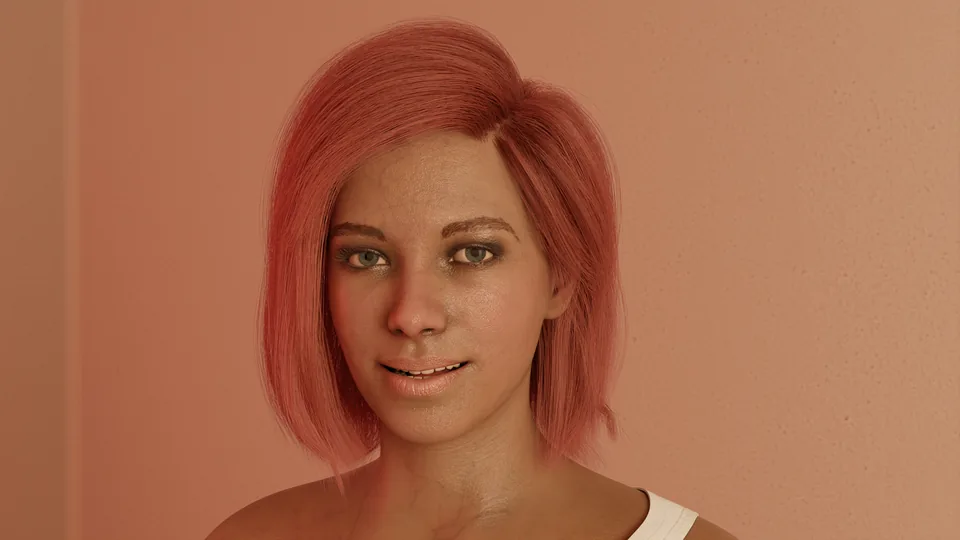
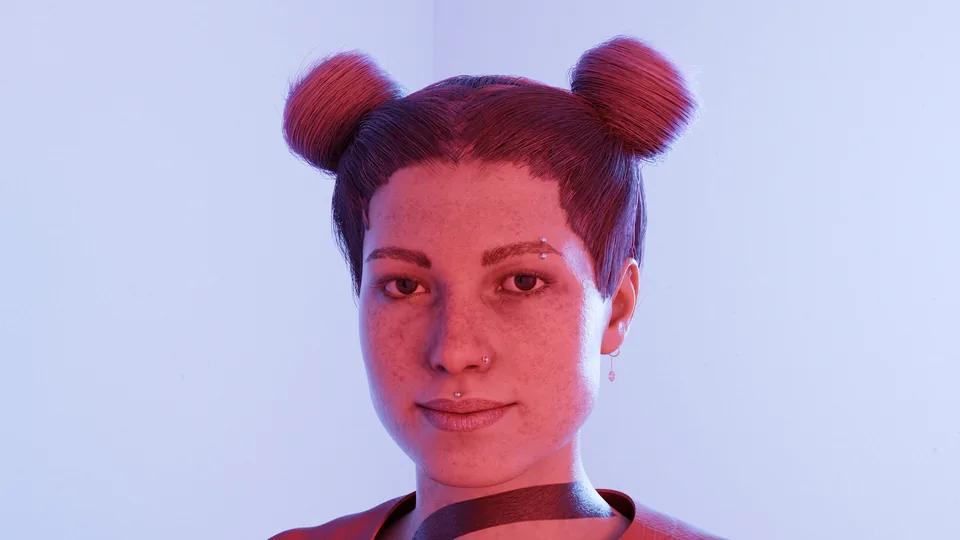
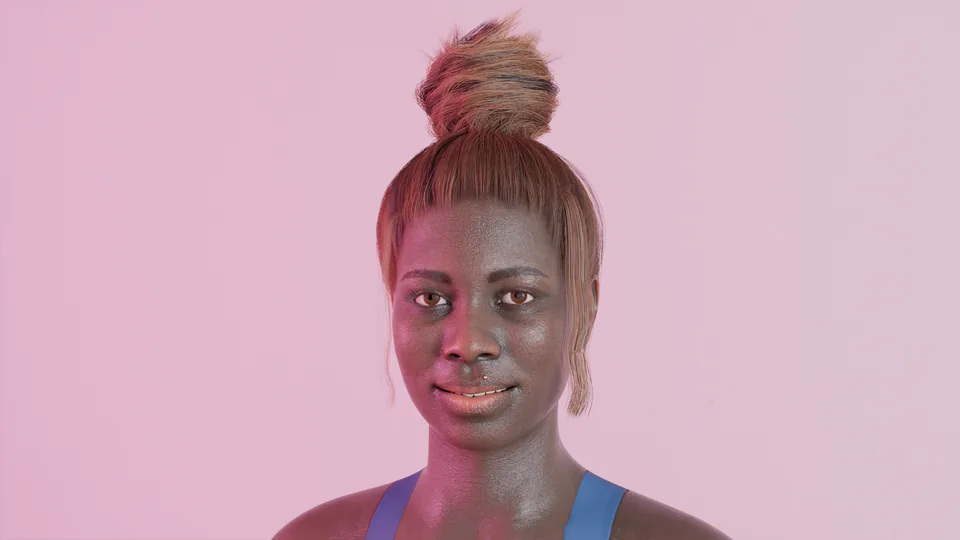
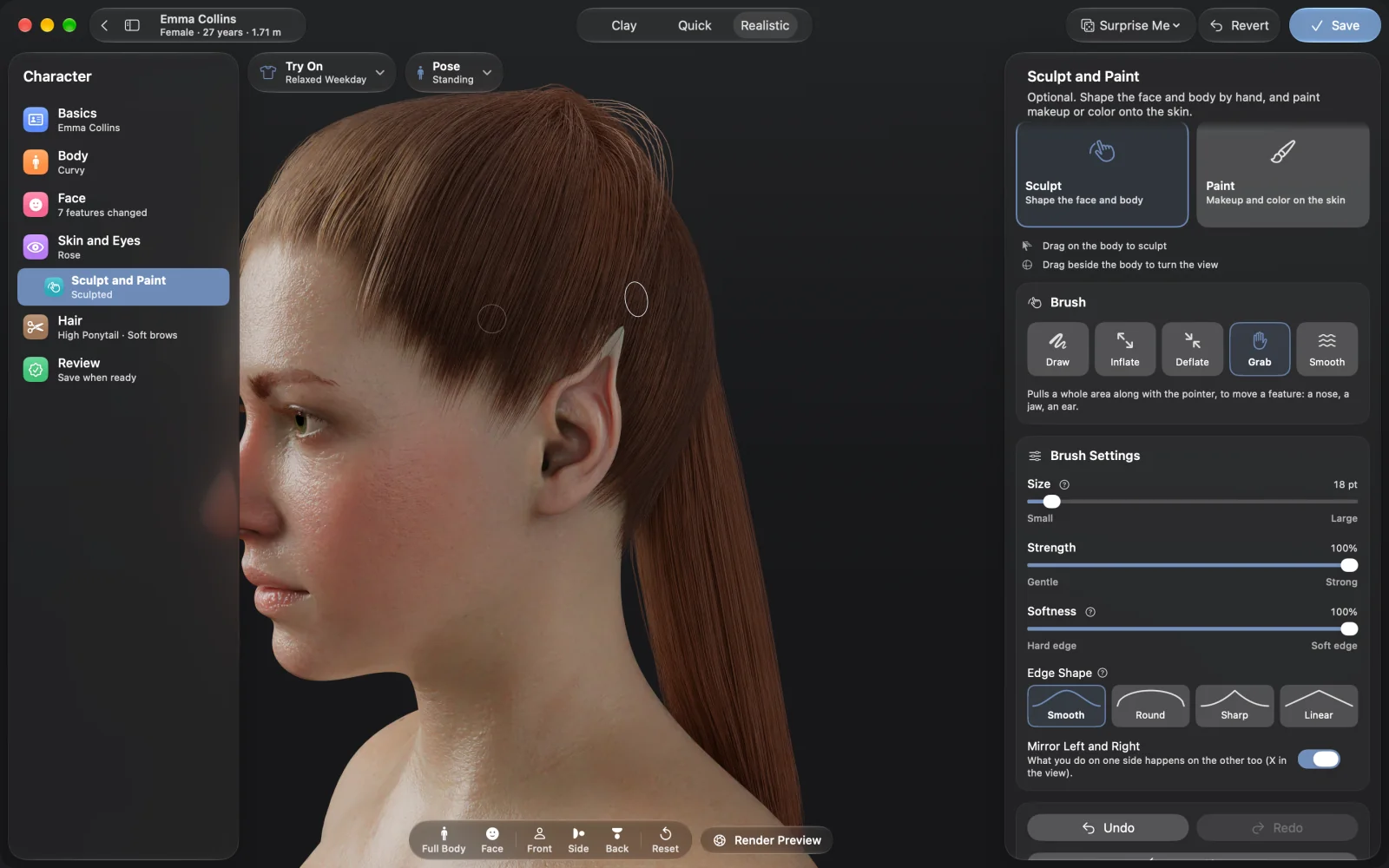
Tattoos sit under the skin. Earrings and piercings are fitted to each ear, nose and lip, or go on any spot you click. If you need something the sliders can't do, the sculpt brushes can pull an ear into a point, and clothes and hair follow the new shape.
Clothes belong to the scene
A character is the person, not the outfit. Over 60 outfits are included, from dresses and winter coats to sportswear and swimwear, and each scene chooses its own. The same person can wear a suit at the office in one picture and a sweater at home in the next.
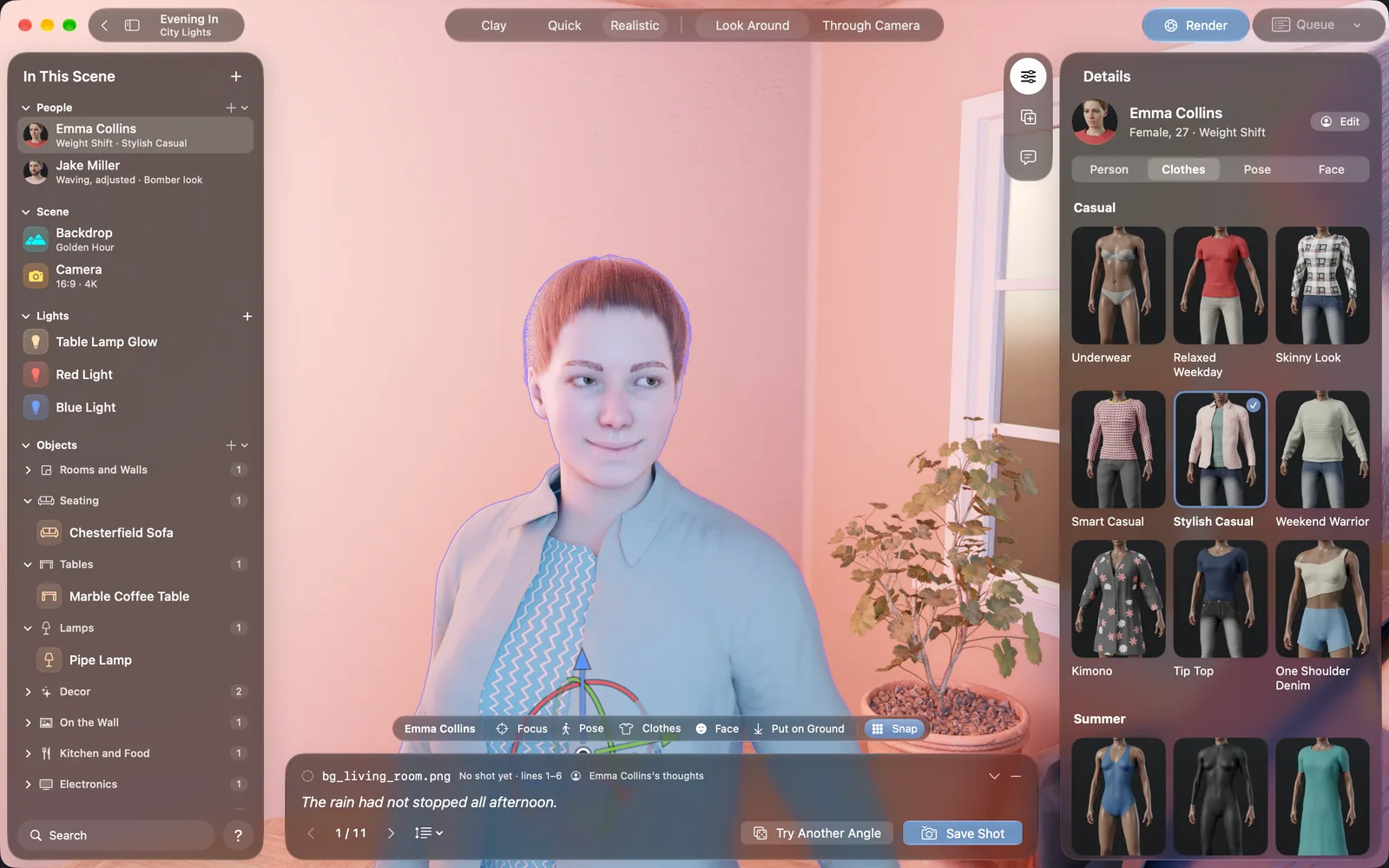
You can change the color of any piece, give it a scanned fabric such as denim or wool, take single pieces off, borrow pieces from other outfits, and add prints on the chest, back or sleeves.
What it does not do
- Characters cannot be exported. There is no FBX or glTF output for Unity, Unreal or Blender.
- You cannot make a character from a photo of a real person.
- It makes realistic people, with no anime or cartoon style. Characters are adults from 18 to 80.
- There is no nudity. Characters always wear at least underwear or swimwear.
Questions
Is there a Character Creator for Mac?
Reallusion's Character Creator runs on Windows only, and a company reply from 2025 said no Mac version is planned. On a Mac you need a different tool or a Windows PC.
Can I use NovelStage characters in a game engine?
No. They cannot be exported as 3D models. A character can be saved as a NovelStage file for another project, and you render pictures of them for your game.
How many characters can I make?
The free version allows two characters per project. NovelStage Pro has no limit.
Does it need a fast Mac?
It runs on any Apple silicon Mac with macOS 26 or later, including models with 8 GB of memory. Renders are fastest on M3 or later.
Sources
- Reallusion reply on Mac support, February 2025
- Poser 13.3.1041 release notes, April 2025
- Daz 3D forum: The New Mac FAQ
- MakeHuman on AlternativeTo
Daz Studio, Poser, Character Creator, Blender, Clip Studio Paint and other names here belong to their owners. NovelStage is not affiliated with any of them.