
Visual novel art without drawing
You have a story and no art. Here is what people in that spot actually do, and how far each option gets you.
Coming to the Mac App Store in November or December 2026. Free, with an optional Pro upgrade.
Email me when it is outIf you can't draw, you can commission an artist, buy asset packs, use an AI image generator, or build your scenes in 3D. Most finished games mix a few of these. This page compares them, then shows the 3D route in NovelStage, where every picture is a complete scene with your characters already in it.
Four ways to get the art
None of these is free of cost. Each one takes money, time or control, and it helps to know which of the three you have least of.
| Route | What you get | Where it gets hard |
|---|---|---|
| Commissions | Drawn art made for your story, in a style you choose | Money. Artists often charge per picture, and a game needs a lot of them. See what visual novel art costs. |
| Asset packs | Ready art, many of it free or cheap on itch.io | Packs rarely match each other, and other games use the same art. Read each license. |
| AI image generators | Pictures from a text prompt, quickly | Keeping the same person across pictures, plus jam rules and store disclosure. |
| 3D scenes | Full pictures of your own characters, as many as you need | You learn a tool and you direct every shot. The result looks 3D or photographic, never drawn. |
On AI: Steam asks developers to disclose AI content that players see, and many visual novel jams, including NaNoRenO and the Spooktober VN Jam, ban generative AI. Check the rules of the place you plan to release in before you settle on a route.
Full scenes instead of layers
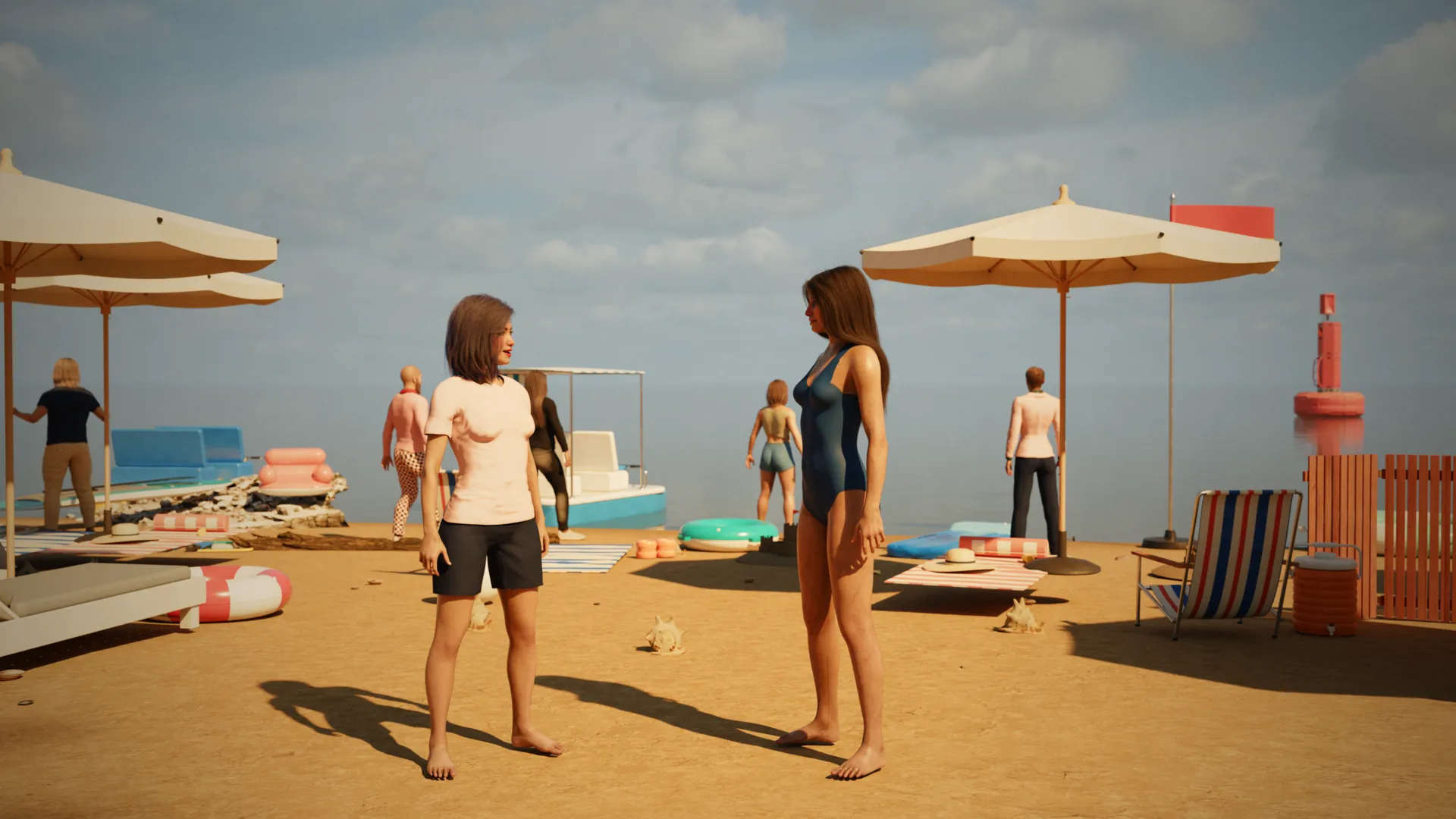
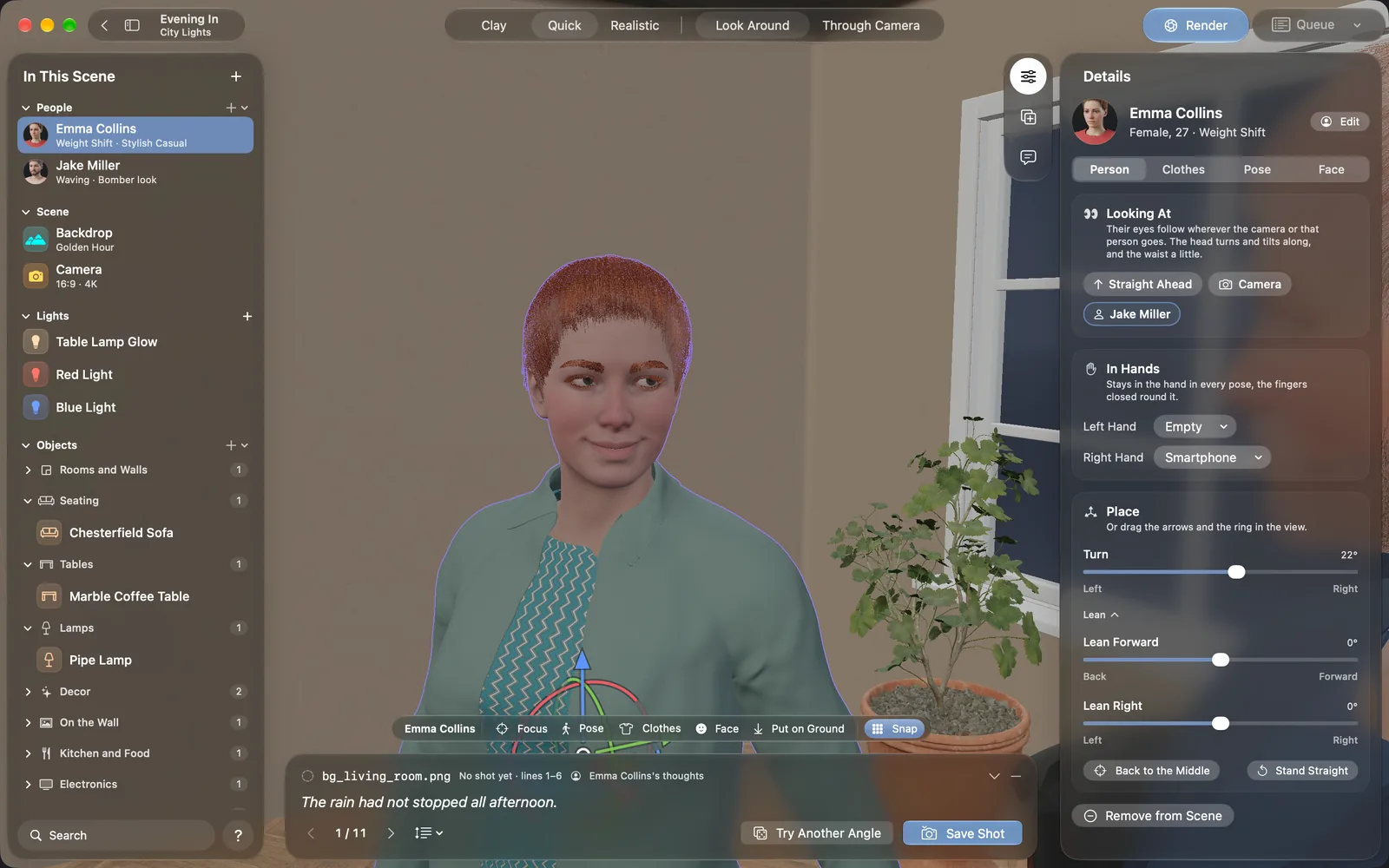
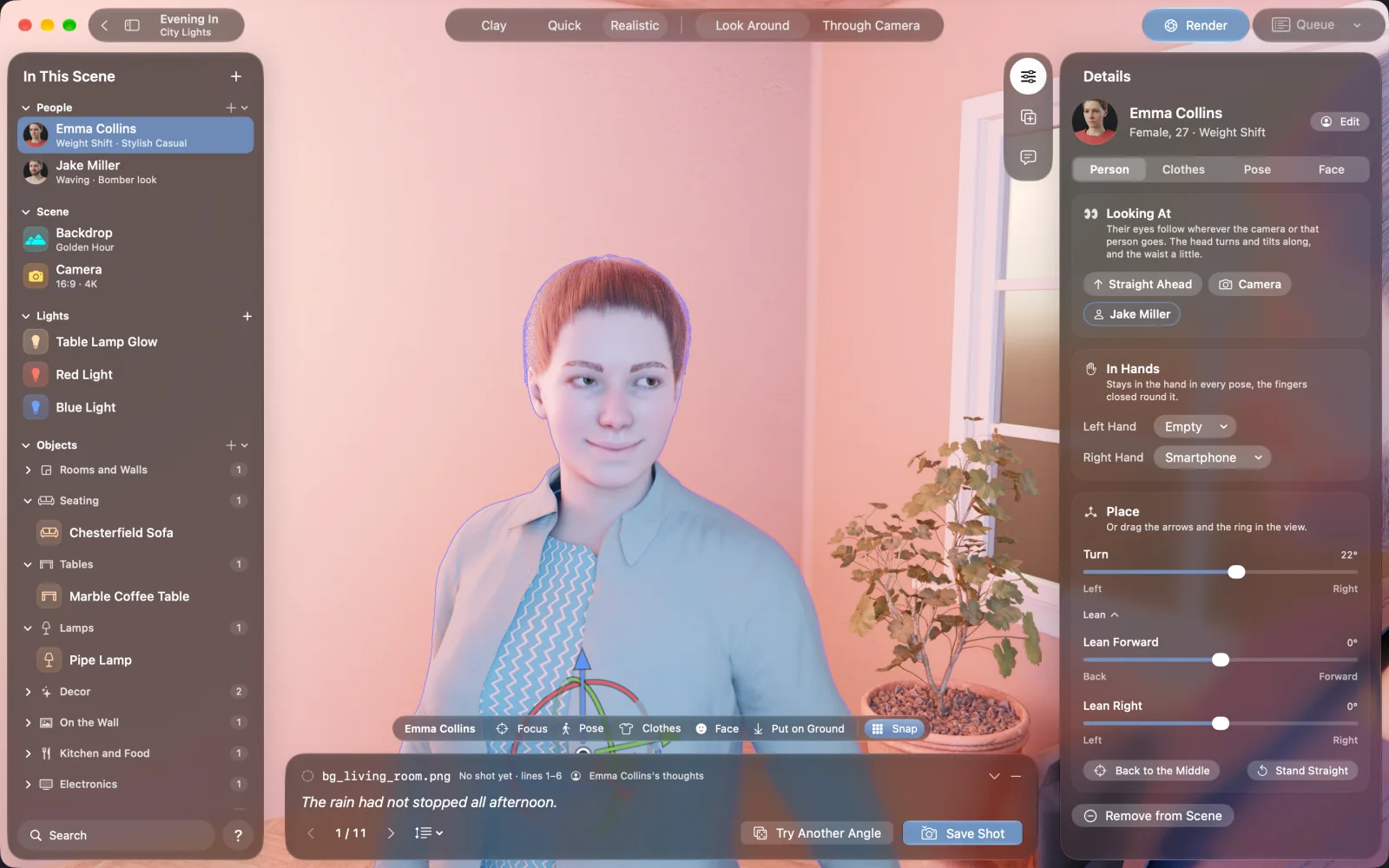
The usual visual novel picture has layers: a background, with character art placed on top. NovelStage works a different way. You build the room, stand your characters in it and render one finished picture, so the light from the window falls on them and their shadows land on the floor.
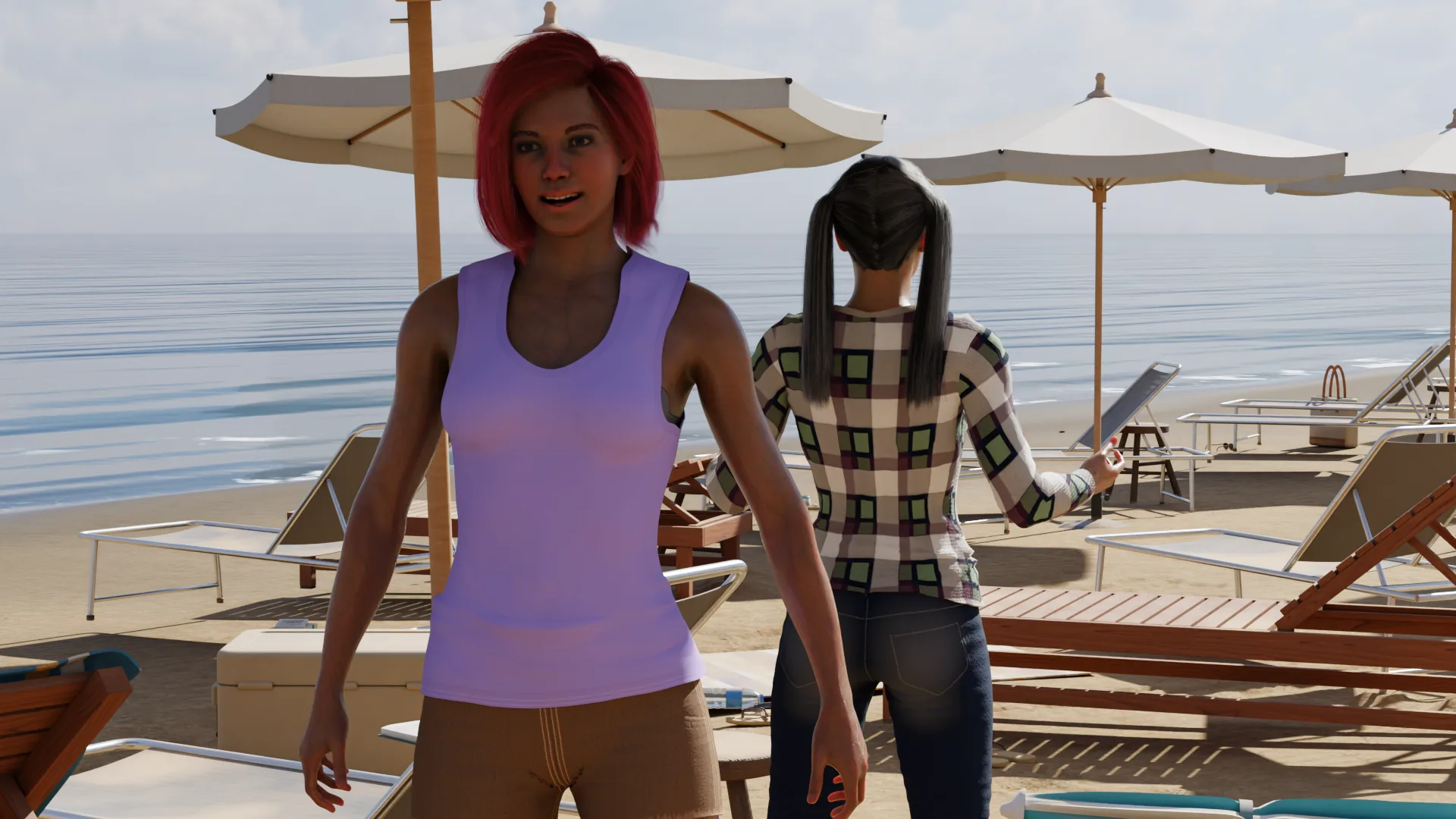
This suits stories told in big, composed pictures, like a film. It also has a cost. A drawn game can swap one face on top of the same background, while a full scene means rendering a new picture for each moment you want to show. Plan for that when you count your images.
How one picture gets made
Make your cast
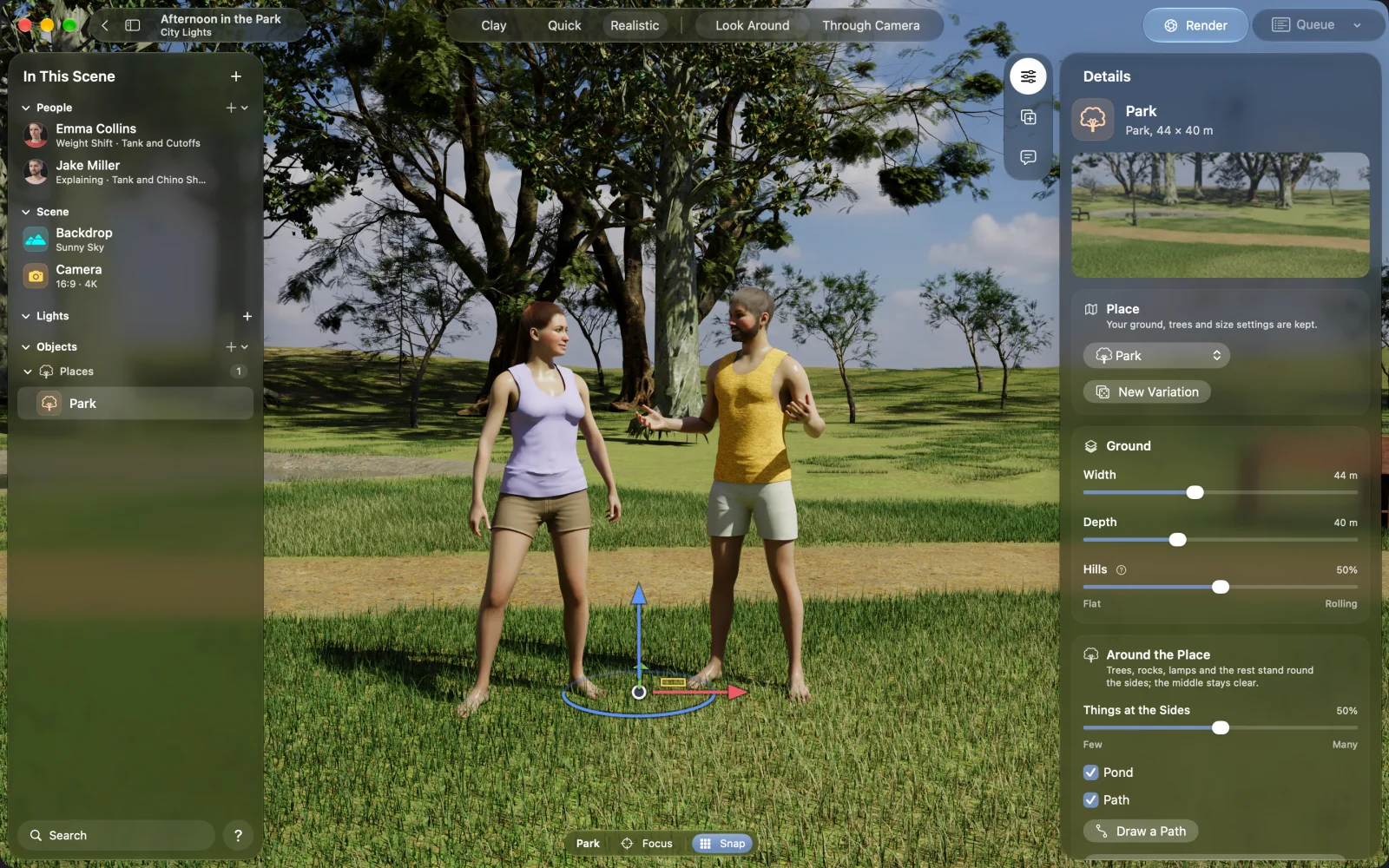
Start from one of eight people or a plain body, then set the face, skin, hair and build. You do this once for each character.
Build the set
Make a room to size or pick one of 16 outdoor places, then furnish it from over 5,000 objects.
Dress and pose them
Clothes belong to the scene, so someone can wear a suit in one and a sweater in the next. Start from 51 poses, or drag arms and legs yourself.
Set the camera and the hour
Choose the lens and the angle, then the time of day. The sun moves with the clock.
Render
NovelStage traces the light on your Mac and saves a PNG. On an M5 Max, a 3840 × 2160 office scene took 32 seconds.
Check it before you commit
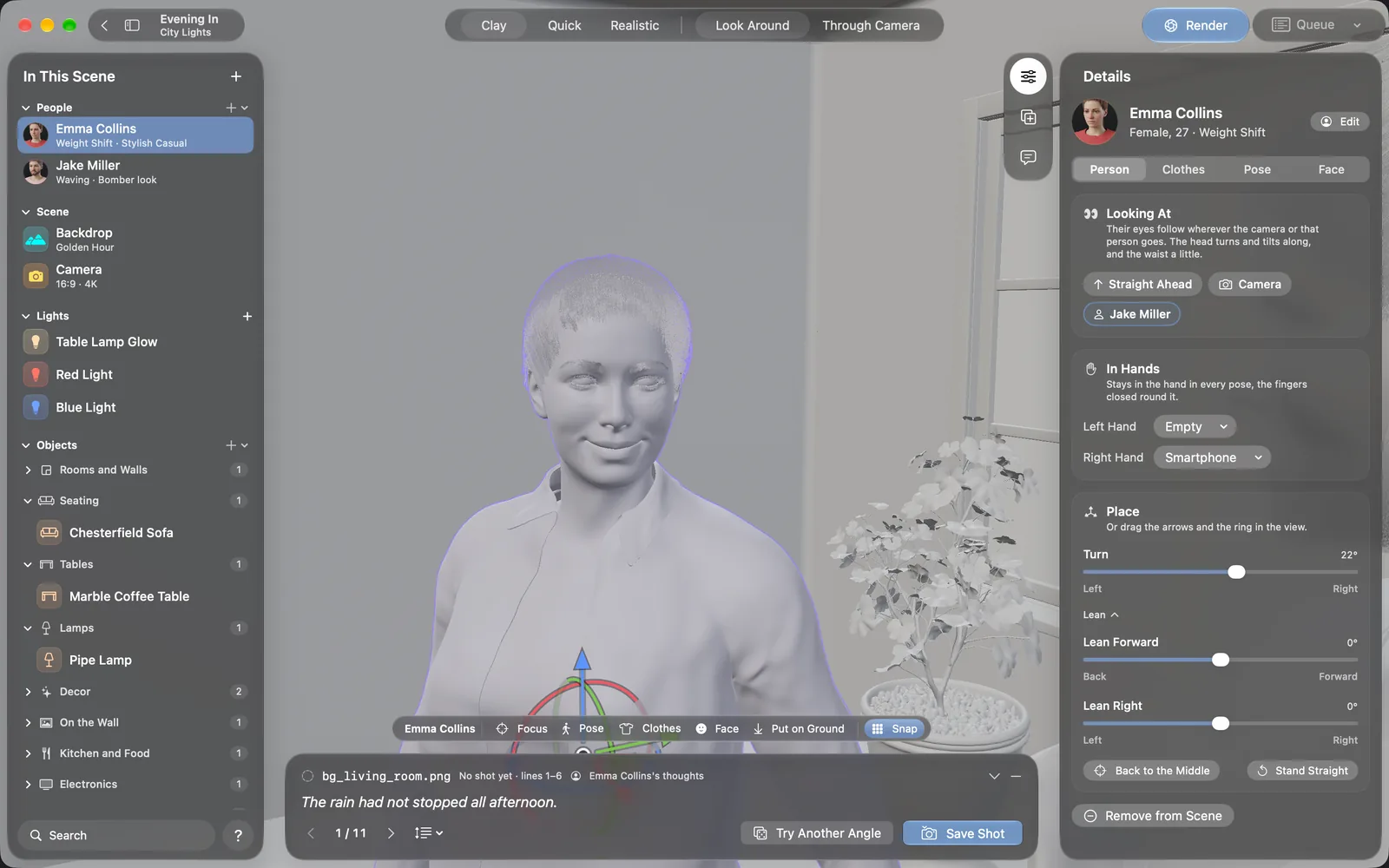
The pictures look like photographs. That is the only style the app makes. Some visual novel readers prefer drawn art, and a photographic game will not suit every story, so try one scene and show it to a few readers early.
What NovelStage does not do
- It makes pictures, and it is not a game engine. You still build the game in Ren'Py, or another engine that shows images.
- It does not draw anime or cartoon art.
- It makes stills, so there is no animation.
- It runs on Apple silicon Macs only. There is no Windows or iPad version.
- Characters are adults from 18 to 80, and the app has no nudity.
Questions
Can a visual novel use only full-scene pictures?
Yes. A game engine shows whatever image you give it. Many games save full-screen art for key moments, but nothing stops you from telling the whole story that way. It takes more pictures, so plan your count first.
Which game engine should I use with these pictures?
Any engine that shows images. NovelStage saves PNG files. It also reads Ren'Py scripts, which is handy if you already use Ren'Py, but you do not need Ren'Py to use the app.
Is NovelStage an AI image generator?
No. There are no prompts. You build the scene in 3D and a path tracer renders it on your Mac. Nothing is uploaded.
Do I need to know 3D?
No. There is no modeling. You pick from libraries, drag things into place and move the camera. The sample project is a finished scene you can take apart to see how it was made.